
Start with a photo worth keeping
Use AI Pose Changer to explore a different gesture before arranging another shoot. Start with your original image and describe the details you want to preserve, then review how well the edit fits your photo.
AI Pose Changer is designed to help you explore a new body position while keeping the face, outfit, and feeling of your original photo. Find a more relaxed stance, a different hand placement, or a fresh angle for a picture you already love.
Start with your photo. Shape the movement in the next step.
Drop your image anywhere in this frame
JPG, PNG or WebP · Up to 20 MBSometimes the light is right, the outfit works, and the location feels perfect, but your pose looks stiff. AI Pose Changer starts with that familiar problem. Rather than planning another shoot, you can think through a more natural position for the photo you already have.
An AI Pose Generator can suggest a whole new composition. As an AI photo pose changer, this project has a more focused purpose: reworking body position around an existing person and scene. AI Pose Changer aims for believable edits that support the picture instead of distracting from it.
Browse these examples to find a pose for your photo. Try a walking pose, a relaxed portrait, or a hand-on-hip stance. In AI Pose Changer, upload your own image, then describe the body position you want or add a pose reference. Use the examples below to write clear instructions.
Ready to try a pose? Open AI Pose Changer, upload your photo, and describe one change at a time. Review the result before downloading.
Use AI Pose Changer to explore a new pose while aiming to preserve your face, outfit, and scene.
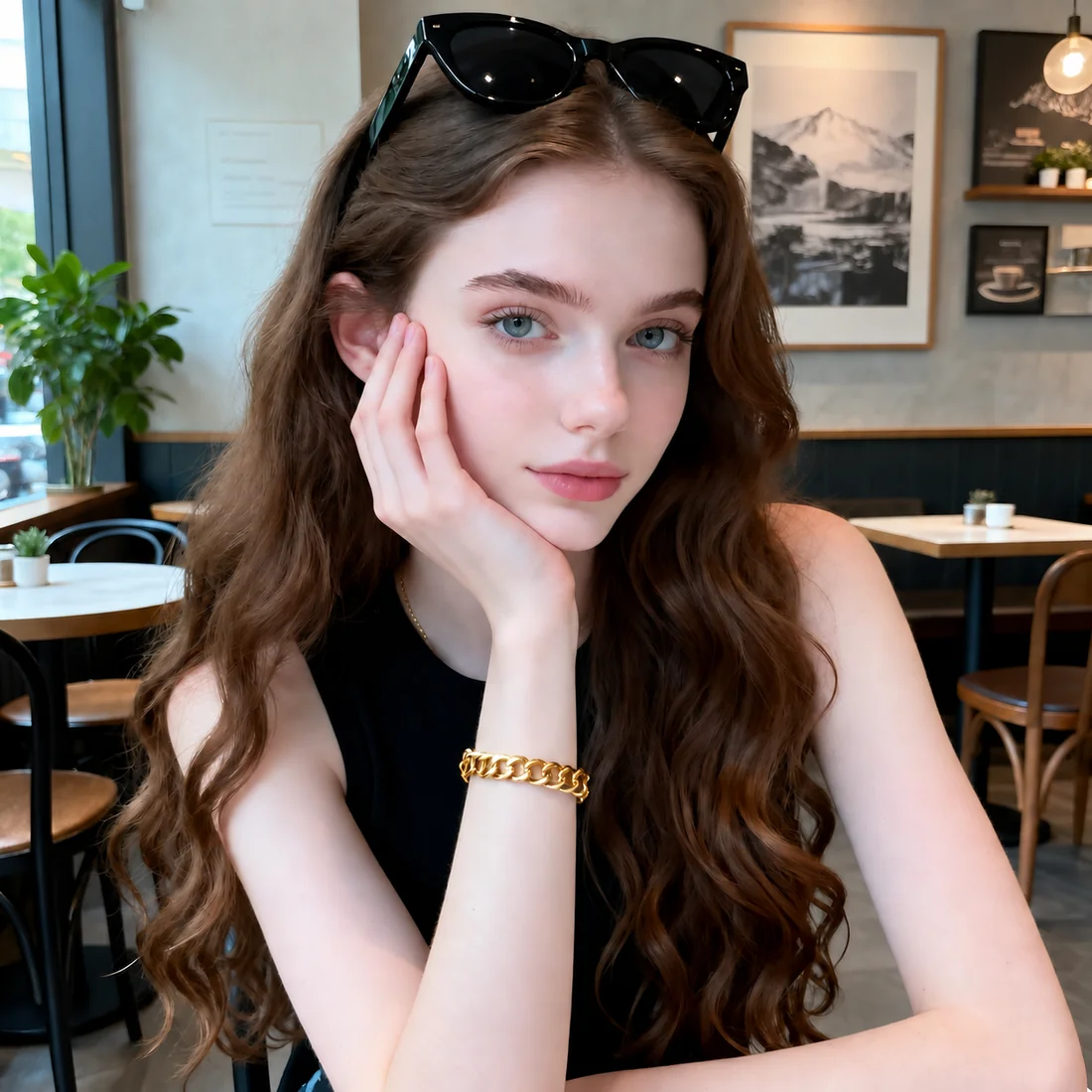
Guide AI Pose Changer with a reference photo. Focus on the head angle, arm position, and posture while keeping your own appearance.
A photo can have the right light, outfit, and setting while the pose still feels awkward. AI Pose Changer gives you a way to explore another direction using the image you already have.
Use AI Pose Changer to explore a different gesture before arranging another shoot. Start with your original image and describe the details you want to preserve, then review how well the edit fits your photo.
Pick a pose from the library, upload a reference, or describe the movement in your own words. This AI Pose Editor lets you give visual or written direction without learning manual retouching tools.
New accounts receive 10 welcome credits, enough for two images at 5 credits each. AI Pose Changer uses one-time credit packs when you need more, so you can choose a budget for the edits you have in mind.
You do not need photography jargon to prepare an AI Pose Changer idea. Start with a clear photo and one specific change. Choose your inputs in the studio, sign in, and submit your edit when the photo, instructions, and credit balance are ready.
Pick a sharp image with one clearly visible person. For AI Pose Changer, a wider crop gives a body pose more context than a close selfie. Keep an untouched copy of your original.
Choose a pose from the built-in library, upload your own reference image, or describe the movement in words. Tell AI Pose Changer which details to keep, then generate your new pose when you are ready.
Preview your finished image in AI Pose Changer and check the pose, face, and clothing details. Download the photo to your device, or open My Creations to view your saved results and download them later.
When you want to change body pose, AI needs a description of the movement, not just the mood. Give AI Pose Changer a body direction, a hand position, and a short list of details to preserve. Keep lighting instructions consistent with the source photo.
Make the pose look better.
Turn the shoulders slightly toward the camera, rest the left hand on the hip, and keep the right arm relaxed. Preserve the face, outfit, and background.
For a seated photo, specify where the person sits and how the feet meet the floor. For a standing portrait, describe where the weight falls. AI Pose Changer prompts become easier to compare when you change one direction at a time.
Avoid mixing a front-facing torso with a full backward turn, or requesting several different hand positions in one sentence. AI Pose Changer cannot resolve every visual contradiction. A realistic pose that fits the framing gives you a clearer creative target.
Before sharing your AI Pose Changer result, check these three details. See the result review guide for more tips.
Check fingers, wrists, and arm positions for natural connections.
Make sure the stance feels balanced and fits the camera angle.
Compare clothing details, edges, and shadows with your original photo.
Find the right AI Pose Changer pack for your next project. Choose Starter for occasional edits, Creator for regular photo projects, or Studio for a larger workload. Each image at 2K / Medium uses 5 credits. Compare the one-time prices in US dollars below, then sign in to choose your pack.
Start small with occasional pose edits, a personal photo project, or a few variations before choosing a favorite.
One-time credit pack
Save $10.00 with this credit pack
Give recurring projects more breathing room. Compare several directions and keep enough credits for your next set of photos.
One-time credit pack
Save $20.00 with this credit pack
Plan for a larger volume of individual edits, with the lowest per-image cost among these three credit packs.
One-time credit pack
Save $100.00 with this credit pack
Check your AI Pose Changer account for your current balance. Review the pricing details and refund policy before purchasing.
AI Pose Changer is a photo editor focused on changing a person’s body position while aiming to preserve identity, clothing, and the scene. Upload your photo in the studio and use a reference or written instructions to guide your edit.
An AI Pose Generator may create a new person or image from a description. AI Pose Changer is intended for editing an existing photo. Starting with a source image makes preserving recognizable details part of the task, not just creating an appealing pose.
Preserving likeness is a central goal of AI Pose Changer, but it is not a guarantee of an identical face. Big turns, hidden features, and challenging source images can complicate an edit. Always compare facial details with the original before sharing.
Start with the person clearly visible, then describe one new body position. AI Pose Changer guidance works best when you specify what moves and what stays. The Change Pose in Photo page is the studio entry point; sign in there to submit your edit and review the returned result.
An AI body pose changer adjusts posture, arm placement, or stance in an image. AI Pose Changer focuses on that kind of edit. Changing a body pose is different from reshaping a body or changing someone’s identity.
AI Pose Changer is a browser-based photo editor. If you want a pose changer online, you can upload a photo and prepare your edit without installing a desktop app. Sign in, review your instructions and credits, then generate your new pose.
Full-body photos are part of the intended AI Pose Changer use case. Choose a frame that includes the limbs you want to move and enough room around them. A tightly cropped headshot does not show the information needed for a specific standing pose.
Give AI Pose Changer one clear movement and a few details to preserve. Describe which way the shoulders turn or where a hand rests. A focused AI Pose Changer request is easier to review than several unrelated pose changes packed into one prompt.
AI Pose Changer offers a welcome allocation of 10 credits after registration, equivalent to two 2K images at 5 credits each. Sign in to check the credits available in your account. Every edit uses 2K / Medium automatically, and review the studio and pricing pages before you start.
Bring a clear idea to AI Pose Changer: a softer stance, a new gesture, or a little more movement. Open the studio, upload your original photo, and start with the one change that matters most to you.
Open AI Pose Changer